Should You Upgrade from Membrane to Mechanical?
Many consumers face the same question when shopping for a new keyboard: is it worth upgrading from a membrane keyboard to a mechanical one? This decision affects typing comfort, durability, budget, noise level, and even the look and feel of a desk setup. This article examines both technologies in detail, analyzes typical real-world use cases, and provides a practical buying guide so readers can decide whether a mechanical keyboard is the right upgrade for their needs.
Introduction: Why the Question Matters
Membrane keyboards remain widespread: they are inexpensive, low-profile, and ubiquitous in offices, schools, and consumer electronics. Mechanical keyboards, once confined to enthusiasts and gamers, have entered the mainstream because of improved availability, a broader variety of switch types, and meaningful advantages in tactile feedback and longevity. The choice to upgrade is rarely purely technical—buyers care about comfort during long typing sessions, responsiveness for gaming, noise restrictions in shared spaces, and long-term reliability.
How the Technologies Differ
Membrane Keyboards: The Basics
Membrane keyboards typically use a flexible plastic sheet with printed conductive traces. Keys press down to push conductive pads together, completing a circuit. Because of this simple construction, membrane boards can be manufactured very cheaply and made thin and spill-resistant. The key travel and tactile characteristics are generally softer and less precise than mechanical alternatives.
Mechanical Keyboards: The Basics
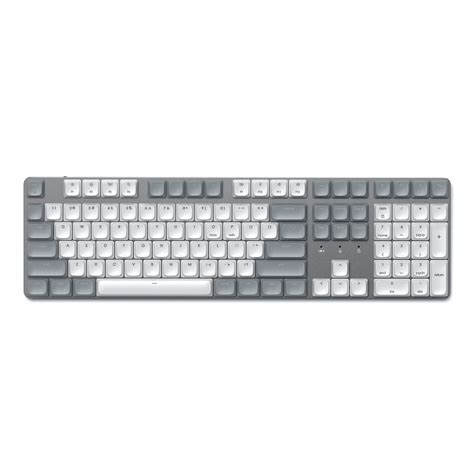
Mechanical keyboards use individual mechanical switches beneath each key. Each switch contains moving parts—spring, stem, and electrical contacts—designed to provide consistent actuation, tactile feedback, or audible click depending on the switch design. Mechanical switches come in many varieties, from light linear switches favored by some gamers to tactile or clicky switches favored by typists who want clear feedback on each key press.
Detailed Product Review / Analysis
Membrane Keyboard Analysis
Membrane keyboards are often shipped bundled with desktops, used in corporate procurement, and installed in environments where cost and predictable behavior are priorities. They excel at being unobtrusive: low height, integrated designs, and quiet operation (especially with scissor-switch variants found in laptops). For short or occasional typing, a membrane keyboard offers competent performance and minimal maintenance needs. They are also less likely to survive heavy abuse or last as long as mechanical alternatives.
From a buyer’s perspective, the key reasons to choose or stick with a membrane keyboard include: budget constraints, a need for a compact, low-profile device, and environments where minimal audio is critical (libraries, shared office spaces, or call centers). The downside is that keys can feel mushy, have inconsistent actuation points across the keyboard, and usually reach end-of-life sooner—often after tens of millions fewer key actuations than mechanical switches.
Mechanical Keyboard Analysis
Mechanical keyboards are known for tactile precision and long service life. Each mechanical switch is rated for tens of millions to a hundred million actuations, making these keyboards a long-term investment. The user experience can be dramatically different depending on switch type: linear switches prioritize smooth travel and speed, tactile switches include a bump that signals actuation, and clicky switches add an audible click for additional feedback.
Enthusiasts value mechanical keyboards for customization—interchangeable keycaps, programmable layouts, hot-swappable switches, and custom stabilizers improve typing feel and function. Gamers often prefer mechanical boards for consistent actuation and key rollover, while professionals who type for hours appreciate the clear feedback and reduced fatigue some switch profiles provide.
However, mechanical keyboards can be more expensive up-front, louder, and typically heavier and bulkier. Maintenance (cleaning switches and replacing keycaps or switches) is more involved but allows repairability that membrane keyboards lack.
Find top-rated Electronics products at great prices.
See Deals →Pros & Cons
Membrane Keyboards
- Pros:
- Generally inexpensive and widely available
- Low-profile and lightweight designs
- Quieter operation—suitable for noise-sensitive environments
- Some designs are spill-resistant and sealed
- Often integrated into laptop and all-in-one systems
- Cons:
- Mushy or inconsistent key feel for heavy typists
- Shorter lifespan compared with mechanical switches
- Limited customization and repair options
- Less precise actuation for competitive gaming
Mechanical Keyboards
- Pros:
- Superior tactile feedback and consistent feel
- Longer lifespan—switches rated for many more actuations
- Wide range of switches for tailored preferences
- Highly customizable: keycaps, switches, layouts
- Often better key rollover and anti-ghosting for gaming
- Cons:
- Higher cost up-front
- Can be loud—may disturb coworkers or household members
- Heavier and less portable
- Maintenance and repairs require more effort (but are possible)
Comparison Table
| Feature | Membrane | Mechanical |
|---|---|---|
| Typical Cost | Low | Medium to High |
| Key Feel | Soft, less precise | Precise, variety of feels |
| Durability | Lower (often 5–20 million actuations) | Higher (often 50–100+ million actuations) |
| Noise Level | Quiet | Varies — can be loud |
| Customization | Limited | Extensive |
| Repairability | Low | High (replace switches/keycaps) |
| Portability | Often better (thin, lightweight) | Often worse (bulkier, heavier) |
| Best For | Casual users, budget offices, low-noise spaces | Typists, gamers, tinkerers, professionals needing durability |
Real-World Use Cases
Office and Shared Workspaces
In open-plan offices or shared spaces, noise matters. Many organizations provide membrane keyboards because they are quiet and low-cost. Mechanical keyboards with clicky switches can be disruptive, so employees working in these spaces may prefer membrane or opt for mechanical switches that are specifically engineered for quiet operation (silent linear or damped switches).
Remote Work and Home Offices
For remote workers who type for extended periods, mechanical keyboards often pay dividends in comfort and typing efficiency. Programmers, writers, and editors frequently report reduced fatigue and improved accuracy with tactile or well-lubed linear switches. However, those who share living space with others or work on calls must consider switch noise.
Gaming
Competitive and casual gamers frequently prefer mechanical keyboards for consistent key actuation, n-key rollover, and lower debounce latencies in many models. Fast-paced titles that require rapid repeated presses may benefit from lighter linear switches, while strategy and MMO players may appreciate tactile switches for clear actuation feedback.
Retail, Kiosks, and Industrial Use
Membrane keyboards retain a strong presence in point-of-sale terminals, kiosks, and industrial control panels because of sealed or ruggedized designs and lower upfront cost. For such environments, the predictable behavior and resistance to liquids and dust make membrane solutions preferable.
Education and Public Spaces
Schools and libraries often place cost and durability over luxury typing feel. Membrane and sealed scissor-switch keyboards are easier to maintain and replace at scale. Where vandalism or heavy wear is a concern, mechanical switches can be an over-investment unless durability and repairability are required.
What Buyers Typically Care About
- Typing Comfort: Long typing sessions, ergonomic layout, key profile, and the switch feel itself.
- Noise Level: Whether the keyboard creates distractions in shared spaces or during calls.
- Durability and Longevity: Expected lifetime of key switches and warranty coverage.
- Budget: Up-front cost versus expected lifespan and repairability.
- Customization: Ability to change keycaps, program macros, and hot-swap switches.
- Portability & Form Factor: Size (full-size, TKL, 60%), wired vs wireless, and weight.
- Maintenance: Ease of cleaning or replacing parts.
Buying Guide: How to Decide Whether to Upgrade
Step 1 — Identify Primary Use
Start by listing the primary activities: heavy typing, competitive gaming, general web browsing, office work, or kiosk use. Mechanical keyboards yield the biggest benefits for heavy typists and many gamers. For casual office tasks, a high-quality membrane or scissor-switch keyboard may be perfectly adequate.
Step 2 — Define Budget and Total Cost of Ownership
Consider the initial price and expected lifetime. Mechanical keyboards cost more up-front but last longer and can be repaired or upgraded. For a corporate deployment where thousands of units are needed, membrane boards may still make financial sense.
Step 3 — Consider Noise Constraints
If the environment requires quiet operation (shared workspaces, recording, or teaching), evaluate mechanical models with silent or damped switches, or stay with membrane keyboards. Switch testers or quiet switch reviews can help assess sound levels.
Shop the latest Electronics picks on Amazon.
Shop Amazon →Step 4 — Evaluate Customization Needs
If remapping keys, macros, or changing keyswitches/caps is important, mechanical keyboards with hot-swap sockets and configurable firmware provide much more flexibility. Enthusiasts and professionals who want a personalized typing experience often choose mechanical for this reason.
Step 5 — Try Before You Buy When Possible
Physical feel matters. Where feasible, test different switch types and keyboard sizes. In retail showrooms or at meetups, brief typing sessions can reveal whether tactile feedback, actuation force, and key travel match personal preferences.
Step 6 — Check Warranty and Repair Policies
Look for manufacturers or retailers that support keycap and switch replacement, and review warranty terms. Mechanical keyboards with swappable switches and available spare parts are easier and cheaper to maintain over the long term.
Practical Checklist Before Upgrading
- Does the new keyboard fit the desk layout and workflow (size, cable routing, wireless)?
- Is noise acceptable for roommates, family, or coworkers?
- Are there accessibility or ergonomic benefits (tilt, tenting, wrist rest)?
- Is the additional cost justified by longer lifespan and repairability?
- Do desired features (macros, programmable layers, backlighting) influence the choice?
When Not to Upgrade
There are clear scenarios in which upgrading to mechanical is unnecessary or even counterproductive. If a strict budget is the limiting factor and the keyboard will be used for light tasks, a membrane keyboard may be the most sensible choice. Similarly, environments requiring near-silent operation or sealed, spill-resistant devices (public kiosks, hospital equipment) favor membrane solutions. Finally, for teams or organizations managing thousands of endpoints, the higher capital cost and potential need for standardization might make membrane keyboards preferable.
Conclusion
Upgrading from a membrane to a mechanical keyboard is a meaningful decision that depends on how a keyboard will be used. For heavy typists, gamers, and users who value customization and long-term repairability, a mechanical keyboard often delivers measurable benefits that justify the higher price. For cost-sensitive buyers, noise-restricted environments, or public and industrial deployments, membrane keyboards remain a sensible and practical choice.
Ultimately, the right path balances comfort, budget, noise tolerance, and lifecycle expectations. Testing different switch options and considering the environment in which the keyboard will live makes the difference between a purchase that simply looks good on paper and one that improves daily interaction with technology.